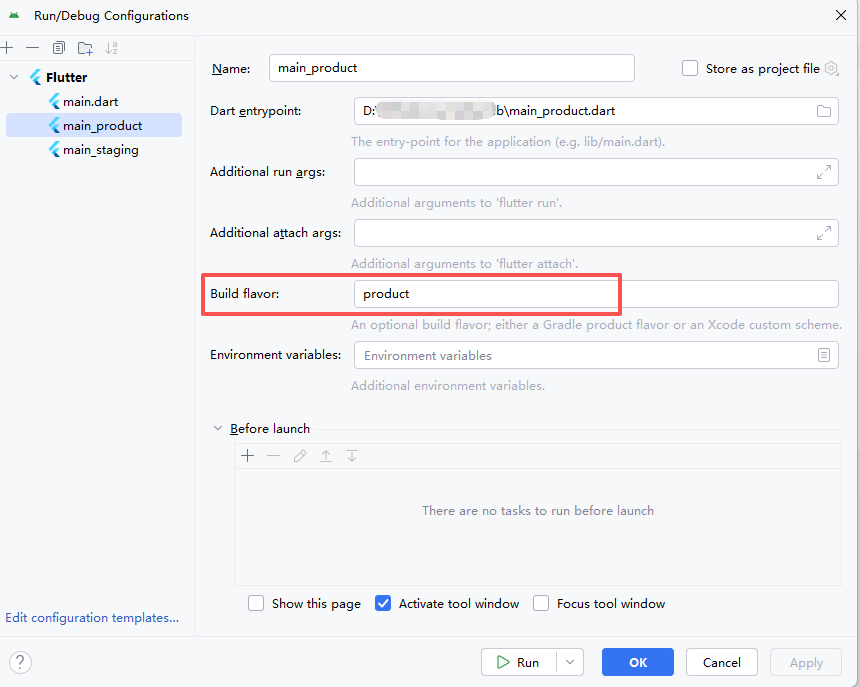
When compiling an Android APK in a Flutter project, it prompts that the compiled APK cannot be found.
Error: Gradle build failed to produce an .apk file. It's likely that this file was generated under /Users/pengyin/Downloads/program/company/hilife/hilife3inone-flutter/build, but the tool couldn't find it.
In android/build.gradle, you can see the ‘product&staging’ flavor
productFlavors {
    product {
        dimension "app"
        buildConfigField("boolean", "LOG_WRITE_DISABLE", "true")
        ndk {
            abiFilters 'armeabi-v7a', 'arm64-v8a'
        }
    }

    staging {
        dimension "app"
        buildConfigField("boolean", "LOG_WRITE_DISABLE", "false")
        ndk {
            abiFilters 'armeabi-v7a', 'arm64-v8a'
        }
    }
Solution: